Connected time scales
Move directly between daily, weekly, monthly, and yearly notes without recreating navigation inside every page.
 Jott.itGet Jott.it
Obsidian can support a flexible bullet-journal workflow. Jott.it is for people who want daily, weekly, monthly, and yearly planning ready from the moment they open the app.
A common Obsidian bullet journal combines daily notes, templates, links, tags, and tasks. That freedom is valuable when you enjoy designing your own system. Jott.it takes a different approach: the calendar and planning timescales are already connected, so you can focus on journaling rather than configuration.
Obsidian’s official help documents a Daily Notes core plugin that creates or opens a note for the current day. Jott.it extends the daily-note idea into a dedicated planning experience.
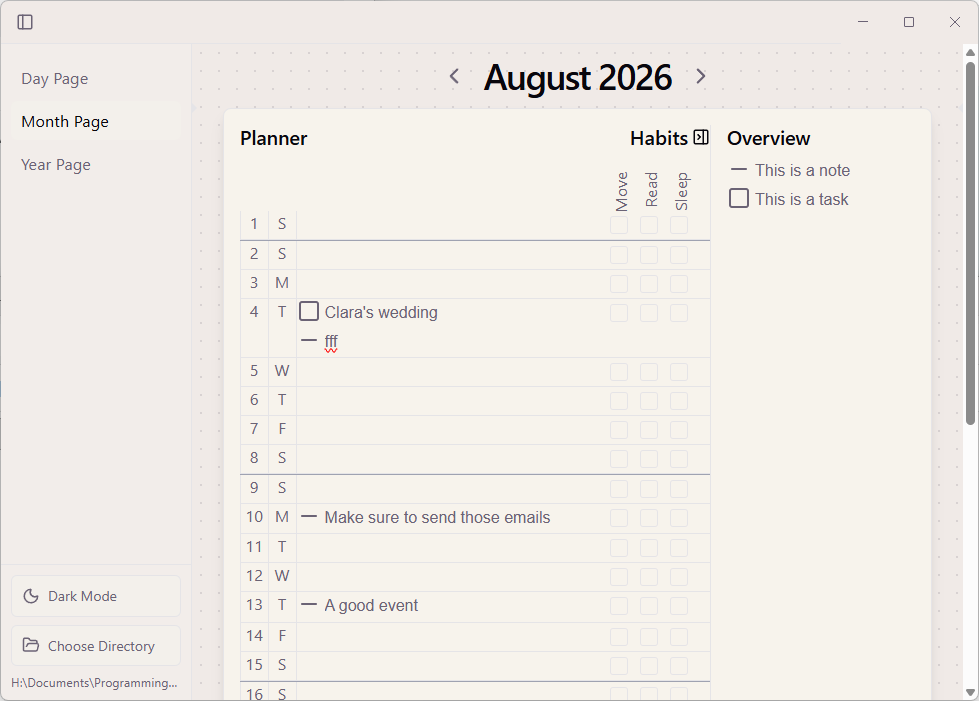
Move directly between daily, weekly, monthly, and yearly notes without recreating navigation inside every page.
See notes and commitments in time, not only as files and links. Keep today connected to longer-term goals.
Capture tasks using natural language and keep upcoming work visible without assembling a plugin stack.
Both approaches can keep knowledge in files you control. The better fit depends on whether you value an open-ended knowledge environment or a purpose-built planning flow.
| Need | Obsidian approach | Jott.it approach |
|---|---|---|
| Daily pages | Daily Notes and templates | Generated as part of the journal |
| Long-range planning | Build with notes, links, and templates | Weekly, monthly, and yearly views included |
| Customization | Highly open-ended | Focused defaults with less setup |
| Data | Local Markdown files | Private local files in open formats |
No. Jott.it is a standalone Windows desktop app designed specifically for bullet journaling and time-based planning.
Yes. The tools serve different purposes. You can use Jott.it for structured planning and another app for broader knowledge work.
No. Jott.it is local-first and stores notes privately on your device. Jott.it does not store or read your journal data.
Start planning with Jott.it for Windows. Free for the first 100 downloads.
Get Jott.it for Windows ↗